You can keep your internet fast on multiple devices by choosing a VPN with WireGuard-based protocols like NordLynx or RAM-only servers, which reduce latency and enhance speed. Limiting simultaneous connections and using split tunneling helps avoid slowdowns. Providers like NordVPN and Surfshark support many devices without lag. For whole-network protection, install the VPN on your router. Smart routing and optimized server networks maintain performance—discover how to balance speed, security, and device limits effectively.
Quick Guide
- Use WireGuard-based protocols like NordLynx for faster speeds and minimal latency across multiple devices.
- Install the VPN on a router to securely connect unlimited devices without individual app limitations.
- Choose a provider with high simultaneous connection limits, such as Surfshark or NordVPN.
- Enable split tunneling to route only essential traffic through the VPN, preserving bandwidth for streaming and gaming.
- Select RAM-only servers and closer locations to reduce latency and maintain stable, high-speed connections.
Why Multiple Devices Slow Down Most VPNs
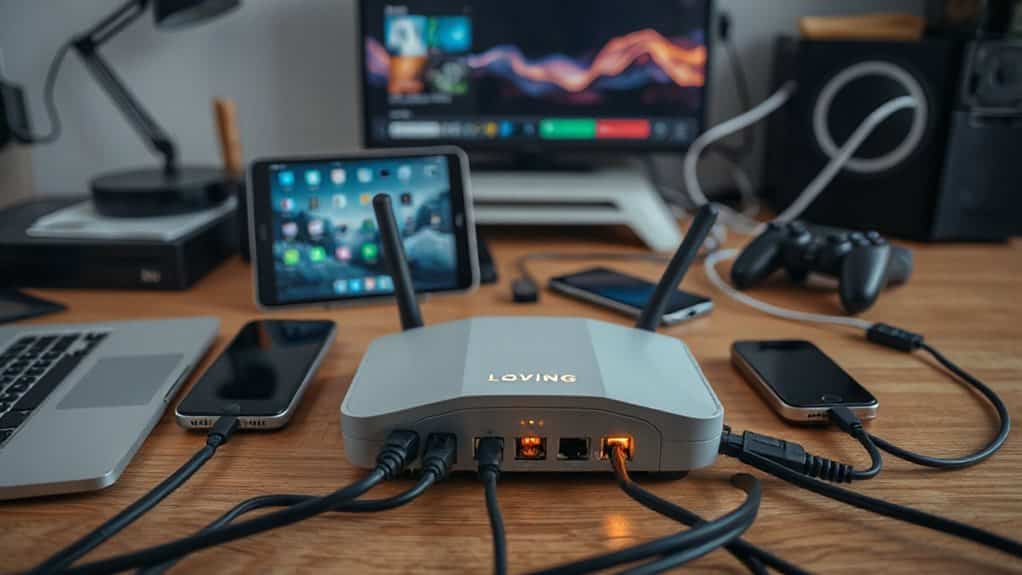
Running several devices on a single VPN might seem like a smart way to protect all your connections at once, but it often leads to network conflicts that disrupt your internet experience.
Multiple tunnels compete, override routing rules, and strain bandwidth. Each device adds latency, slows speeds, and increases packet loss. Make sure your VPN provider offers DNS leak protection to prevent privacy-compromising DNS requests when many devices are connected.
Shared resources mean your connection suffers the more you use it. Running two VPNs simultaneously can cause route conflicts due to overlapping routing rules and tunnel interfaces.
NordVPN: Speed & Security for 10+ Devices
You can connect up to 10 devices at once with NordVPN, so your phone, laptop, tablet, and more stay protected without slowing down.
NordLynx technology keeps your speeds fast, with minimal lag and over 110 Mbps download in real-world tests.
All servers run in RAM-disk mode to ensure user data is wiped at reboot and enhance privacy with no logs retained.
NordLynx Speed Technology
While most VPN protocols struggle to balance speed and security, NordLynx stands out by providing dramatically faster performance without compromising protection.
You get speeds up to 6x faster than OpenVPN, with minimal lag and 950+ Mbps on nearby servers.
Built on WireGuard’s lean code, it reduces strain on your devices.
You stay secure, connected, and free—no matter how many gadgets you use.
Multi-Device Security Shield
Keep your entire digital life protected with a security shield that scales across all your devices—NordVPN lets you connect up to 10 gadgets at once, doubling the standard limit of six.
You can install it on unlimited devices, enjoying consistent security across Windows, macOS, Linux, Android, and iOS.
With Threat Protection Pro, you actively block malware, trackers, and phishing attempts—no VPN connection needed.
Surfshark: Unlimited Connections Without Lag

Surfshark continues to stand out in the crowded VPN market by letting you connect an unlimited number of devices under a single subscription—no extra fees, no restrictions.
You get fast, reliable protection across all your gadgets using WireGuard, which keeps speeds high—up to 96% retention locally. Even long-distance connections stay smooth, so you stream, download, and browse freely without lag slowing you down. Surfshark also includes a zero-logging policy to protect your privacy while connected.
How Server Networks Affect Multi-Device Speed
You get unlimited device connections with Surfshark, but speed across all your gadgets doesn’t just depend on how many you link—it’s also shaped by the server network itself.
Distance, protocol choice, and split tunneling impact performance. Shorter routes and faster protocols like WireGuard enhance speed. Split tunneling reduces server load, while multi-hop setups can slow things down. Optimize wisely. ExpressVPN is headquartered in the British Virgin Islands, which helps avoid compulsory data retention laws.
Secure Every Device With Router-Level VPN Protection

You can protect all your devices at once by installing a VPN on your router. This setup secures everything from phones to smart TVs without needing individual apps.
Just configure the router once, and every connected device gets automatic, always-on protection.
Router Installation Benefits
With router-level VPN protection, every device on your network gains secure, encrypted access to the internet—without needing individual setups.
You bypass device limits, protect smart TVs and consoles, and enjoy always-on coverage.
One subscription covers all devices, saving money and time.
You stay anonymous online, secure your family, and streamline control—all with a single, simple configuration that just works.
Whole Network Security
A router configured with a built-in VPN doesn’t just simplify setup—it converts your entire network into a secure, private gateway.
You encrypt all traffic, mask your IP, and protect every device, even IoT gadgets.
With 256-bit encryption and threat blocking, your data stays private from hackers, ISPs, and surveillance—no matter what device you use or where you connect.
Use Split Tunneling to Control App-Level VPN Access
Letting some apps bypass your VPN while others stay protected might sound risky at first, but split tunneling makes it possible—and practical.
You choose which apps use the encrypted tunnel, like work tools or banking, while streaming or gaming go directly online.
This increases speed, cuts lag, and saves bandwidth.
You stay secure where it matters, without slowing down everything else.
Multi-Hop VPNs Without Speed Loss

Bouncing your traffic through multiple VPN servers used to mean sacrificing speed for privacy, but that’s no longer the inevitable trade-off. You can maintain solid speeds with adaptive MultiHop by choosing closer servers. Use IPv6 and optimized routes like USA via UK. NeuroRouting picks faster paths. Mixing providers spreads load. Even with double encryption, smart setups keep your connection swift and your freedom intact.
Why RAM-Only Servers Boost Multi-Device Performance
You get faster data processing because RAM-only servers handle your requests much quicker than traditional hard drives.
This speed enhances connection stability across all your devices, keeping your streams and downloads smooth.
With no slowdowns from aging hardware or fragmented storage, your multi-device experience stays consistently strong.
Faster Data Processing
Because RAM-only servers handle data entirely in volatile memory, they deliver faster processing for your multiple devices by eliminating the delays associated with traditional disk storage.
You get quicker access to routing and encryption, with no slow disk writes or mechanical bottlenecks.
This means smoother, real-time performance across all your connected devices—no lag, no slowdowns—just fast, reliable service when you need it most.
Enhanced Connection Stability
When your devices rely on a stable connection, RAM-only servers deliver consistent performance by eliminating common points of failure. You get reliable reboots, uniform configurations, and no disk slowdowns.
These servers wipe clean on restart, run identical secure images, and resist tampering. With reduced downtime and balanced loads, your multi-device experience stays smooth, fast, and uninterrupted—giving you the freedom to connect freely, anywhere, anytime, without compromise.
Protect All Your Devices: Even Without Native VPN Apps

Getting your entire household online securely just got easier—by installing a VPN directly on your router, you can protect every connected device, even those without native app support.
You cover smart TVs, game consoles, and IoT gadgets with one setup. Just flash a compatible router, log in, and all devices auto-connect. No apps needed. You stay free, private, and protected.
Multi-Device VPNs: Best Value for Large Households
You’ve secured every device on your network by setting up a VPN on your router—now it’s time to maximize value across all your household’s connections.
Surfshark offers unlimited devices at $1.99/month, making it ideal for large families. IPVanish also supports unlimited connections with strong speeds. NordVPN and ExpressVPN deliver premium security and performance, perfect if you want extra features without sacrificing reliability or freedom.
Wrapping Up
You now know how to keep your multiple devices secure without sacrificing speed. Choose a VPN like NordVPN or Surfshark for fast, reliable connections across all your gadgets. Use router-level protection to cover every device, even those without native apps. With RAM-only servers and efficient networks, you’ll stay safe and fast online. Protect everything—without the lag.