You want fast, secure home Wi-Fi with simple setup—top picks like the ASUS ZenWiFi XT9 and Cudy WR11000 deliver. They support built-in OpenVPN and WireGuard, so every device connects safely without extra software. These routers offer strong encryption, easy app-based setup, and lifetime security features. Models with AiMesh or mesh support extend coverage seamlessly. High-speed ports and powerful hardware keep performance smooth, even with a VPN active. Find the right balance of speed, security, and ease for your home network.
Quick Guide
- ASUS ZenWiFi XT9 offers easy setup with lifetime AiProtection Pro and built-in VPN support for secure, high-coverage home networks.
- Look for routers with pre-configured OpenVPN/WireGuard clients, like the Cudy WR1300, for simple, out-of-box VPN integration.
- Choose models with dedicated 2.5G ports and hardware acceleration to maintain speed when running encrypted VPN traffic.
- Opt for mesh-compatible routers like ASUS ZenWiFi BT8 to ensure seamless, secure coverage across large homes with AI-powered management.
- Ensure firmware supports split tunneling and regular updates to maintain security without compromising performance or convenience.
| ASUS ZenWiFi XT9 AX7800 Mesh Router (2-Pack) | 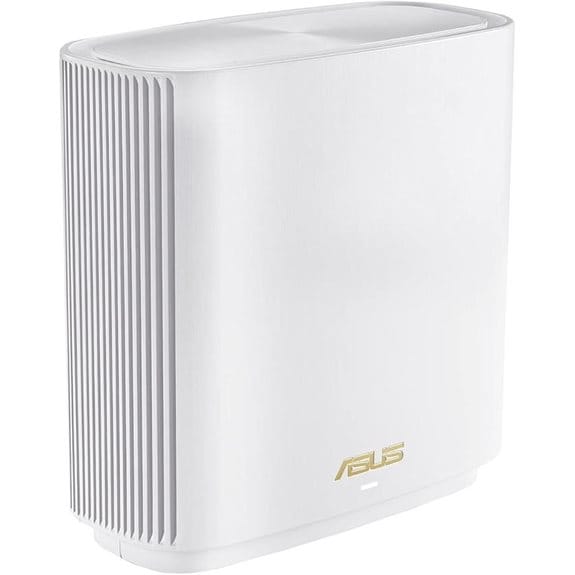 | Best Overall | Wi-Fi Standard: Wi-Fi 6 (802.11ax) | VPN Support: Instant Guard, OpenVPN, IPSec | Security Suite: AiProtection Pro (Trend Micro) | VIEW LATEST PRICE | Read Our Analysis |
| ASUS RT-AX52 AX1800 WiFi 6 Router | 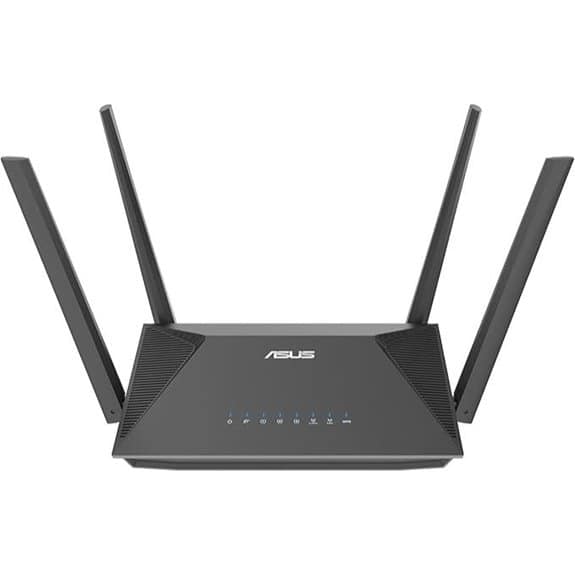 | Best for AiMesh Users | Wi-Fi Standard: Wi-Fi 6 (802.11ax) | VPN Support: Integrated VPN, ASUSWRT/OpenWRT compatible | Security Suite: AiProtection Classic (Trend Micro) | VIEW LATEST PRICE | Read Our Analysis |
| Cudy AC1200 Dual-Band Mesh Router (WR1300) | 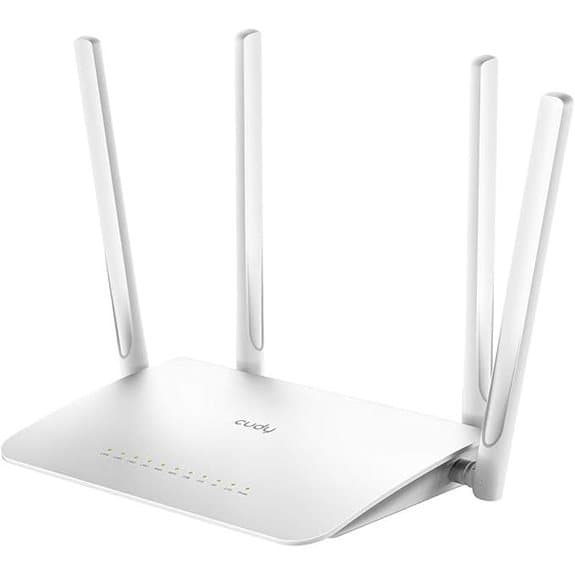 | Budget-Friendly Pick | Wi-Fi Standard: Wi-Fi 5 (802.11ac) | VPN Support: PPTP, L2TP, OpenVPN, WireGuard, IPsec | Security Suite: Not specified (no named suite) | VIEW LATEST PRICE | Read Our Analysis |
| Cudy WiFi 7 BE11000 Router (WR11000) | 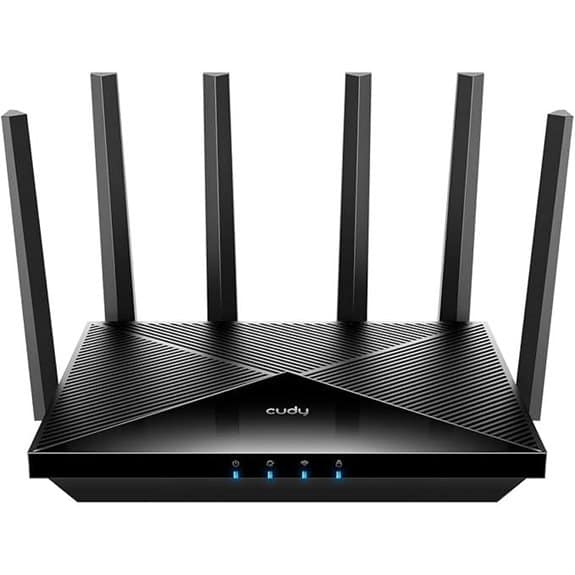 | Fastest Wi-Fi 7 Performance | Wi-Fi Standard: Wi-Fi 7 (802.11be) | VPN Support: Built-in VPN client and server | Security Suite: Not specified (no named suite) | VIEW LATEST PRICE | Read Our Analysis |
| ASUS ZenWiFi BT8 Tri-Band WiFi 7 Router (2-Pack) | 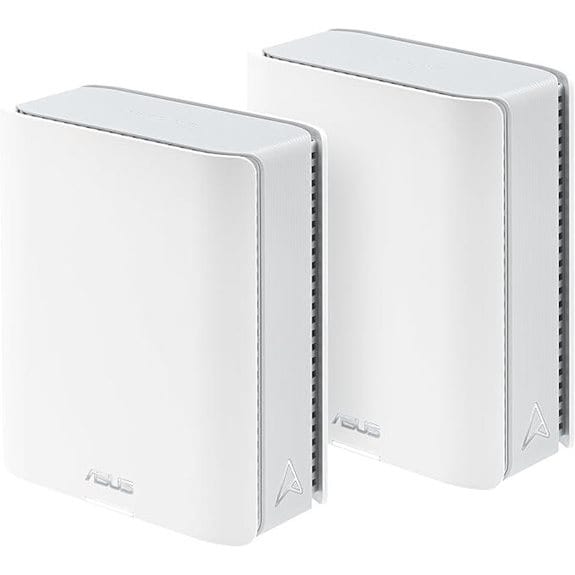 | Best for Large Homes | Wi-Fi Standard: Wi-Fi 7 (802.11be) | VPN Support: Advanced VPN support | Security Suite: AiProtection Pro (commercial-grade) | VIEW LATEST PRICE | Read Our Analysis |
| TP-Link Archer AX3000 Wi-Fi 6 Mesh System | 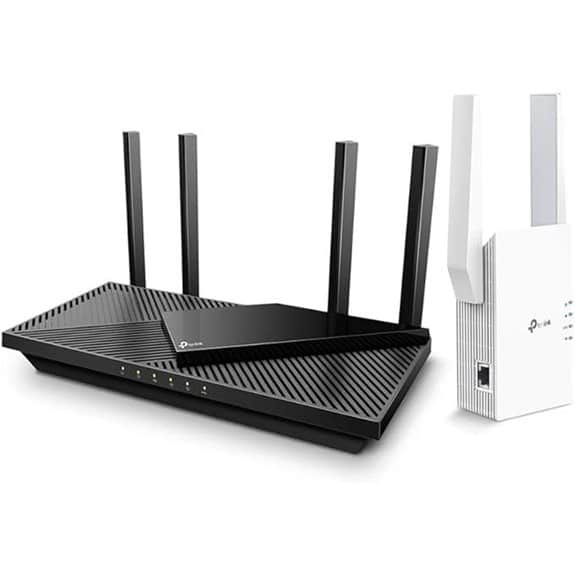 | Best Value Mesh Bundle | Wi-Fi Standard: Wi-Fi 6 (802.11ax) | VPN Support: VPN client supported | Security Suite: Not specified (no named suite) | VIEW LATEST PRICE | Read Our Analysis |
| ASUS RT-AX59U WiFi 6 Router | 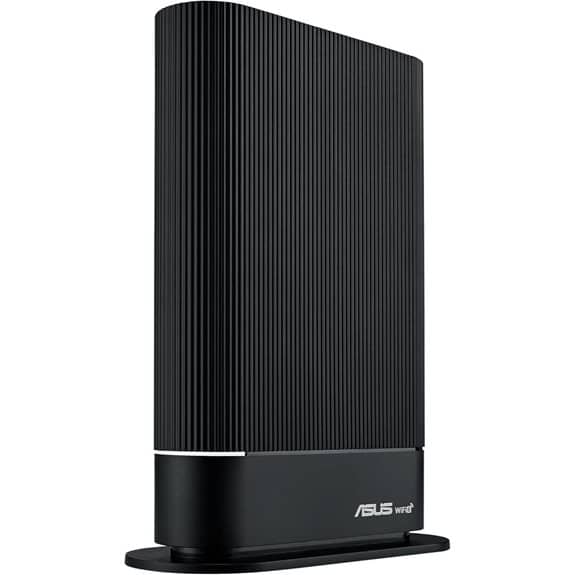 | Best for Small Businesses | Wi-Fi Standard: Wi-Fi 6 (802.11ax) | VPN Support: Built-in VPN, Instant Guard | Security Suite: AiProtection Pro (Trend Micro) | VIEW LATEST PRICE | Read Our Analysis |
More Details on Our Top Picks
ASUS ZenWiFi XT9 AX7800 Mesh Router (2-Pack)
If you’re looking for a powerful, future-proof mesh Wi-Fi system that seamlessly integrates VPN protection for your entire home network, the ASUS ZenWiFi XT9 AX7800 (2-Pack) stands out as a top choice—especially if you value speed, coverage, and built-in security without extra subscriptions. You get tri-band Wi-Fi 6 speeds up to 7,800 Mbps and coverage for up to 5,700 sq ft. The 2.5G port and USB WAN support 4G/5G tethering. Use the ASUS Router app for simple setup and Instant Guard to secure public Wi-Fi with one tap. AiProtection Pro offers lifetime free security, while AiMesh lets you expand your network easily.
- Wi-Fi Standard:Wi-Fi 6 (802.11ax)
- VPN Support:Instant Guard, OpenVPN, IPSec
- Security Suite:AiProtection Pro (Trend Micro)
- Mesh Capability:ZenWiFi mesh system (2-pack), AiMesh
- 2.5G Port:Yes (1 × 2.5G port)
- Parental Controls:Advanced Parental Controls (per-device, content filters)
- Additional Feature:UNII-4 5.9 GHz band
- Additional Feature:USB WAN for 4G/5G tethering
- Additional Feature:RangeBoost Plus signal enhancement
ASUS RT-AX52 AX1800 WiFi 6 Router
The ASUS RT-AX52 AX1800 WiFi 6 Router stands out for home users who want seamless whole-home coverage and built-in VPN support without extra hardware or subscriptions. You get fast WiFi 6 speeds up to 3000 Mbps with 160 MHz bandwidth and 1024-QAM modulation. It supports MU-MIMO and OFDMA for smooth performance with multiple devices. You can combine it with other AiMesh routers for expanded coverage. AiProtection Classic blocks threats at no extra cost. It works with ASUSWRT or OpenWRT, and Instant Guard lets you secure your connection instantly. Just plug it in, set it up through the app, and enjoy protected, reliable Wi-Fi.
- Wi-Fi Standard:Wi-Fi 6 (802.11ax)
- VPN Support:Integrated VPN, ASUSWRT/OpenWRT compatible
- Security Suite:AiProtection Classic (Trend Micro)
- Mesh Capability:AiMesh compatible
- 2.5G Port:Not specified
- Parental Controls:Not explicitly mentioned
- Additional Feature:4G USB dongle sharing
- Additional Feature:OpenWRT firmware compatible
- Additional Feature:iOS/Android connection sharing
Cudy AC1200 Dual-Band Mesh Router (WR1300)
You’ll get the most out of the Cudy AC1200 Dual-Band Mesh Router (WR1300) if you want built-in VPN support without the hassle of complex setup—this router comes ready with OpenVPN, WireGuard, IPsec, PPTP, and L2TP clients pre-installed, so you can encrypt your traffic right out of the box. It delivers AC1200 speeds with 300 Mbps on 2.4 GHz and 867 Mbps on 5 GHz, ideal for streaming and gaming. Four 5 dBi antennas guarantee strong coverage and wall penetration. With 5 Gigabit ports, you can connect devices like game consoles and NAS at high speeds. It runs on a dual-core MTK processor with 128 MB RAM, guaranteeing smooth performance.
- Wi-Fi Standard:Wi-Fi 5 (802.11ac)
- VPN Support:PPTP, L2TP, OpenVPN, WireGuard, IPsec
- Security Suite:Not specified (no named suite)
- Mesh Capability:Mesh router functionality (Cudy Mesh)
- 2.5G Port:Not specified
- Parental Controls:Not specified
- Additional Feature:WireGuard & IPsec support
- Additional Feature:Dual-core MTK processor
- Additional Feature:4×5 dBi high-gain antennas
Cudy WiFi 7 BE11000 Router (WR11000)
Release lightning-fast speeds and seamless connectivity with the Cudy Tri-Band WiFi 7 BE11000 Router (WR11000), a top pick for tech-savvy households demanding high-performance Wi-Fi and built-in VPN support. You get Wi-Fi 7 speeds up to 10.6 Gbps across three bands, ideal for 4K streaming, gaming, and large smart homes. With six high-gain antennas and four 2.5G ports, coverage and wired performance are strong. You can set up VPN access easily—no extra software needed. Manage your network remotely using the Cudy app, enable mesh with compatible devices, and enjoy future-proofed connectivity in a sleek black design.
- Wi-Fi Standard:Wi-Fi 7 (802.11be)
- VPN Support:Built-in VPN client and server
- Security Suite:Not specified (no named suite)
- Mesh Capability:Cudy Mesh support
- 2.5G Port:Yes (four 2.5G WAN/LAN ports)
- Parental Controls:Not specified
- Additional Feature:6×2.5G ports (10 Gbps class)
- Additional Feature:Built-in VPN server
- Additional Feature:6 GHz Wi-Fi 7 ready
ASUS ZenWiFi BT8 Tri-Band WiFi 7 Router (2-Pack)
If you’re building a future-ready home network that demands ultra-fast speeds and rock-solid security, the ASUS ZenWiFi BT8 Tri-Band WiFi 7 Router (2-Pack) stands out as a top choice. You get WiFi 7 with 6 GHz support, up to 14 Gbps throughput, and coverage for large homes up to 550 m². Its dual 2.5G ports handle heavy traffic, while seven internal antennas guarantee strong signal distribution. You’ll enjoy AI-powered mesh expansion, AiProtection Pro, and advanced VPN support for secure browsing. Setup is simple across devices, and IoT segmentation keeps smart gadgets safe. It’s ideal for high-demand households wanting seamless, secure Wi-Fi.
- Wi-Fi Standard:Wi-Fi 7 (802.11be)
- VPN Support:Advanced VPN support
- Security Suite:AiProtection Pro (commercial-grade)
- Mesh Capability:Smart AiMesh extendable
- 2.5G Port:Yes (dual 2.5G ports)
- Parental Controls:Parental controls, Smart Home Master SSIDs
- Additional Feature:14 Gbps max throughput
- Additional Feature:Smart AiMesh intelligence
- Additional Feature:Rechargeable battery not included
TP-Link Archer AX3000 Wi-Fi 6 Mesh System
The TP-Link Archer AX3000 Wi-Fi 6 Mesh System is ideal for home users who want reliable whole-home coverage with the added flexibility of connecting to a VPN directly from the router. You get the Archer AX55 Pro router and RE705X extender for seamless dual-band Wi-Fi 6 performance. With MU-MIMO and OFDMA, multiple devices stay connected smoothly. You’ll appreciate the 2.5G port for faster wired connections and Alexa compatibility for voice control. Set it up in Access Point mode if needed, or use OneMesh for broader coverage. Just remember: returns must reflect accurate condition to avoid restocking fees.
- Wi-Fi Standard:Wi-Fi 6 (802.11ax)
- VPN Support:VPN client supported
- Security Suite:Not specified (no named suite)
- Mesh Capability:OneMesh compatibility (router + extender)
- 2.5G Port:Yes (2.5G port)
- Parental Controls:Not specified
- Additional Feature:Includes RE705X extender
- Additional Feature:Alexa voice compatibility
- Additional Feature:Access Point mode supported
ASUS RT-AX59U WiFi 6 Router
You’ll get strong, secure Wi-Fi 6 performance with the ASUS RT-AX59U, a router built for households running multiple smart devices or small business setups needing reliable connectivity. It delivers up to 4,200 Mbps with a powerful quad-core processor, ensuring smooth streaming and fast downloads. You’ll appreciate its AiMesh compatibility, letting you expand coverage easily. The built-in VPN and Instant Guard give you one-click remote protection, while AiProtection Pro offers subscription-free security. Safe Browsing helps block explicit content with parental controls. Setup is simple, and its sleek design fits anywhere—on a desk or mounted on a wall.
- Wi-Fi Standard:Wi-Fi 6 (802.11ax)
- VPN Support:Built-in VPN, Instant Guard
- Security Suite:AiProtection Pro (Trend Micro)
- Mesh Capability:AiMesh-compatible
- 2.5G Port:Not specified
- Parental Controls:One-tap Safe Browsing, parental controls
- Additional Feature:Quad-core CPU power
- Additional Feature:Wall-mount & desktop design
- Additional Feature:Ultra-minimalist aesthetic
Factors to Consider When Choosing a VPN Router for Home Wi-Fi
When picking a VPN router for your home Wi-Fi, make sure it supports the latest Wi-Fi standard so you get fast, reliable connections. Check that it works with common VPN protocols like OpenVPN or WireGuard, and has enough processing power to handle encryption without slowing down. If you have a larger home, consider a router with mesh network capability and built-in security features for better coverage and protection.
Wi-Fi Standard Support
Wondering how to make certain your VPN runs smoothly across all your home devices? Start by choosing a router with strong Wi-Fi standard support. Pick one that uses Wi-Fi 6 (802.11ax) or Wi-Fi 7 (802.11be) if your devices support it—these deliver faster speeds, lower latency, and handle more connected gadgets at once, which helps encrypted VPN traffic flow better. Make sure the router supports multi-band operation, like tri-band with 6 GHz, so your VPN can use less crowded frequencies. Look for wide channels (80/160 MHz) and advanced features like 1024-QAM to enhance link capacity. MU-MIMO and OFDMA let the router manage multiple VPN connections efficiently. Finally, confirm the firmware supports the standard fully, including security updates and correct regional settings, so performance and protection stay strong over time.
VPN Protocol Compatibility
While setting up a secure home network, it’s essential to confirm your router supports the VPN protocols you plan to use, as this directly affects security, speed, and device compatibility. Choose routers that support modern protocols like WireGuard, OpenVPN, or IKEv2—each offers different strengths. WireGuard delivers faster speeds and lower latency thanks to its efficient design and strong encryption, like ChaCha20-Poly1305. OpenVPN is reliable and widely supported, while IKEv2 handles mobile connections well. Make sure your router supports strong cipher suites such as AES-256-GCM and avoids outdated encryption. Check if it works in both client mode (routing all traffic through a VPN) and server mode (accessing your network remotely). Finally, pick a router with regular firmware updates or support for custom firmware like OpenWrt to stay secure and future-proof.
Processing Power Needs
Since VPN encryption demands significant computational power, your router’s CPU plays a critical role in maintaining fast and secure connections. Choose a router with multiple cores and a high clock speed to handle OpenVPN or WireGuard without slowing your network. Without strong hardware, you might only get 10–30% of your internet speed when the VPN is active. Look for models with hardware acceleration like AES-NI—it enhances encrypted throughput markedly. If you plan to use extra features like QoS, intrusion detection, or mesh networking, add 30–50% more CPU headroom. For long-term use, pick a quad-core processor with at least 256MB RAM, especially if you have many devices or want heavy logging. This guarantees your router stays fast as demands grow.
Mesh Network Capability
A powerful CPU keeps your encrypted traffic moving, but if you’re spreading Wi-Fi across a larger home, mesh networking becomes just as important. Make sure your router supports mesh with seamless roaming—this means a single SSID and automatic handoff between nodes so your VPN stays active as you move. Check that every node in the mesh enforces the same VPN tunnels and firewall rules; otherwise, you risk security gaps when traffic shifts between nodes. The backhaul—whether wired or wireless—should handle encrypted data without lag, so look for OFDMA, MU-MIMO, or a dedicated 5 GHz/6 GHz band. Pick a system with centralised management so you can push updates and adjust VPN settings across all nodes from one dashboard. Finally, confirm support for per-device or selective routing to apply different VPN rules for guests, IoT gadgets, or work devices.
Security Feature Integration
When choosing a VPN router for your home, don’t overlook how well it integrates essential security features. Look for built-in VPN server and client support—like OpenVPN, WireGuard, or IKEv2—so you can securely access your network remotely without installing apps on every device. Make sure the router’s CPU and RAM can handle encrypted speeds at your internet plan’s max, since encryption like AES-GCM or ChaCha20 can slow performance. Choose models with modern protocols and strong key exchange (2048-bit or better) plus regular firmware updates to stay protected. Opt for split tunneling so you can route only selected devices—like IoT or phones—through the VPN. Finally, pick a router with a solid firewall, intrusion prevention, and DNS filtering to block malware and phishing attempts before they reach your devices.
Port Configuration Options
Take control of your network’s performance and flexibility by paying close attention to port configuration options when selecting a VPN router for your home. Make sure the router has Gigabit Ethernet or faster ports—like 2.5G LAN/WAN—since slow ports can bottleneck your encrypted traffic. Check that it supports built-in VPN client or server features like OpenVPN or WireGuard so you don’t need extra hardware. Look for port forwarding, DMZ, and NAT settings to safely expose devices when needed. Confirm the router allows policy-based routing so you can send some devices through the VPN and others straight to the internet. Also, make certain you can adjust UDP/TCP ports, MTU sizes, and encryption settings to match your provider’s requirements. These options give you better speed, compatibility, and control over how your home network uses the VPN.
Ease of Setup Process
Getting your VPN router up and running shouldn’t mean wrestling with complicated settings or technical jargon. Look for models with a mobile app or web-based 3-step setup wizard that automatically detects your ISP settings and configures WAN, LAN, and Wi-Fi SSIDs. This cuts down manual input and gets you online faster. Make sure the router supports built-in VPN client/server functions with preconfigured profiles like OpenVPN or WireGuard, plus one-tap import for your provider’s credentials. Avoid routers needing command-line work. Check that firmware updates happen automatically and default security features—like WPA3 and admin password prompts—are enabled out of the box. Clear in-app help and documentation should guide you through port forwarding, split tunneling, and routing rules. Finally, pick a router that lets you easily back up and restore configurations via cloud or USB, so you can quickly recover your setup after updates or resets.
Parental Control Functions
With growing concerns over screen time and online safety, choosing a VPN router that includes strong parental controls gives you the tools to manage your household’s internet use effectively. Look for per-device scheduling to block access or limit bandwidth for kids’ devices during bedtime or homework. Choose routers with content filtering that blocks adult, gambling, or violent sites by category and enforces safe search across all devices—no extra software needed. Make sure it offers usage reports so you can see which apps or sites use the most data or time. Pick models that support user profiles with custom rules for different ages, including time limits and site whitelists or blacklists. Opt for remote management via a mobile app, letting you pause the internet instantly or allow temporary access. Check for audit logs to track changes to settings. These features help you stay in control—easily and securely.
Frequently Asked Questions
Can I Use a VPN Router With Any Internet Provider?
Yes, you can use a VPN router with any internet provider. Just plug it in, connect to your ISP as usual, and set up the VPN through the router’s interface. It works no matter who your provider is.
Do I Need Technical Skills to Set up a VPN Router?
You don’t need advanced tech skills to set up a VPN router—just follow the simple app or web guide. Most models are plug-and-play, so you’ll be protected in minutes, even if you’re not tech-savvy.
Will a VPN Router Slow Down My Internet Speed?
Yes, a VPN router might slow your internet a bit since it encrypts data and routes it through a remote server. But with a good router and fast plan, you’ll barely notice—your browsing stays secure without major speed drops.
Can I Connect Multiple Devices to a VPN Router Simultaneously?
Yes, you can connect multiple devices to a VPN router at once. Just set it up once, and all your gadgets—phones, laptops, tablets—get protected automatically without needing individual VPN apps. It’s fast, easy, and keeps everything secure with no extra hassle on your end.
Is It Legal to Use a VPN Router at Home?
Yes, it’s legal to use a VPN router at home. You’re just securing your internet connection. Just make sure you’re not using it for illegal activities—your ISP might not love it, but you’re within your rights as long as you follow the law.
Wrapping Up
You’ve got solid options for securing your home Wi-Fi with a VPN router. Pick one that supports easy firmware setup and reliable encryption. Match your choice to your internet speed and coverage needs. Models like ASUS and Cudy offer user-friendly apps and strong performance. Always enable the VPN on the router for whole-network protection. It’s a simple step that keeps your data private without slowing you down. Stay safe.