You need encrypted USB drives that protect sensitive data with strong, certified security. Choose models with AES-256 or AES-XTS 256-bit hardware encryption and FIPS 140-2 or 140-3 certification for proven protection. Look for tamper-resistant designs, brute-force attack defenses, and auto-lock features that secure the drive when idle. Drives like the Kingston IronKey D500S and iStorage datAshur offer top-tier encryption, durable builds, and reliable cross-platform use without extra software—key for ultimate privacy. More details follow on what makes each stand out.
Quick Guide
- Choose USB drives with AES-256 or AES-XTS-256 hardware encryption for the strongest data protection.
- Prioritize FIPS 140-3 Level 3 or FIPS 197 certification for verified, tamper-resistant security.
- Opt for models with brute-force protection and auto-wipe after 6–10 failed PIN attempts.
- Select drives with rugged, tamper-resistant builds like epoxy-filled metal casings for physical security.
- Use devices with keypad PIN entry and auto-lock on idle or removal to prevent unauthorized access.
| Integral 32GB Encrypted USB Flash Drive | 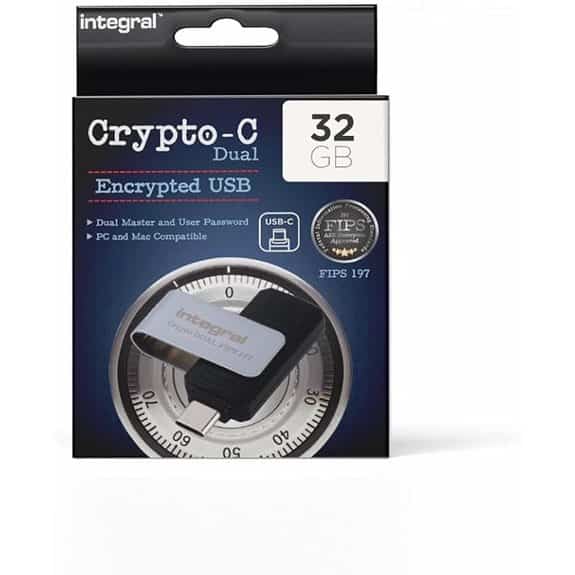 | Best for Security Recovery | Encryption Type: AES-XTS 256-bit | Certification: FIPS 197 | Capacity: 32GB | VIEW LATEST PRICE | Read Our Analysis |
| Integral Crypto Dual 32GB Encrypted USB Drive | 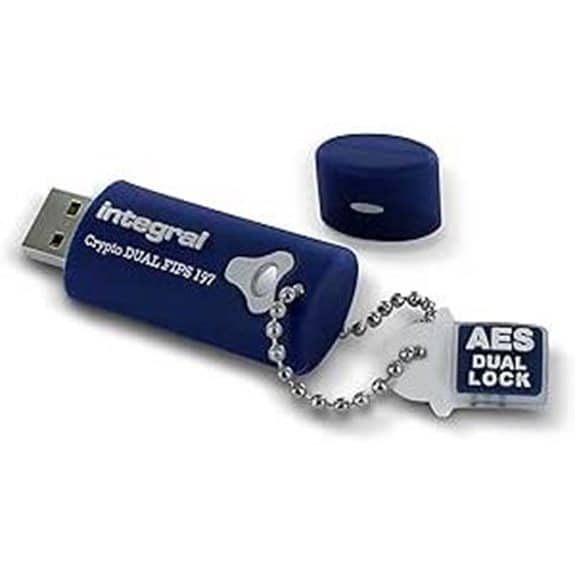 | Most Durable Design | Encryption Type: AES-256 (FIPS 197) | Certification: FIPS 197 | Capacity: 32GB | VIEW LATEST PRICE | Read Our Analysis |
| Kingston IronKey D500S 512GB Encrypted USB | 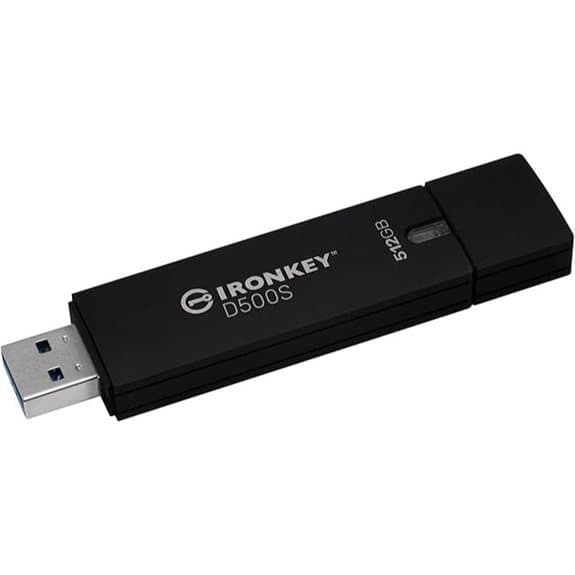 | Highest Capacity | Encryption Type: AES-256 | Certification: FIPS 140-3 Level 3 (pending) | Capacity: 512GB | VIEW LATEST PRICE | Read Our Analysis |
| iStorage datAshur Personal2 32GB USB Drive | 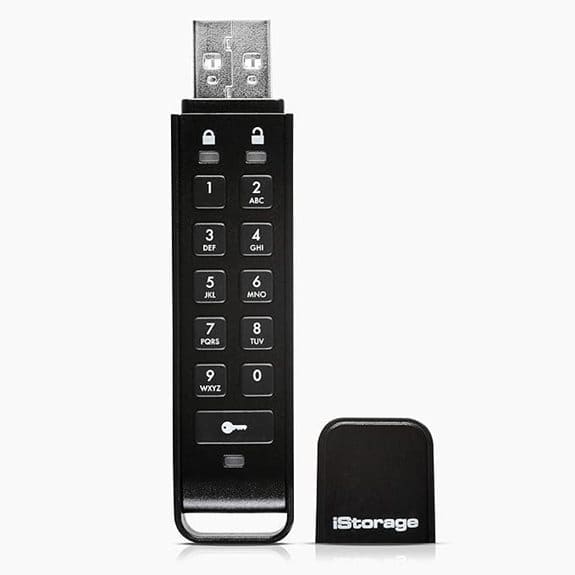 | Best PIN Protection | Encryption Type: AES-XTS 256-bit | Certification: FIPS PUB 197 | Capacity: 32GB | VIEW LATEST PRICE | Read Our Analysis |
| Integral Secure 360-C 64GB USB-C Flash Drive | 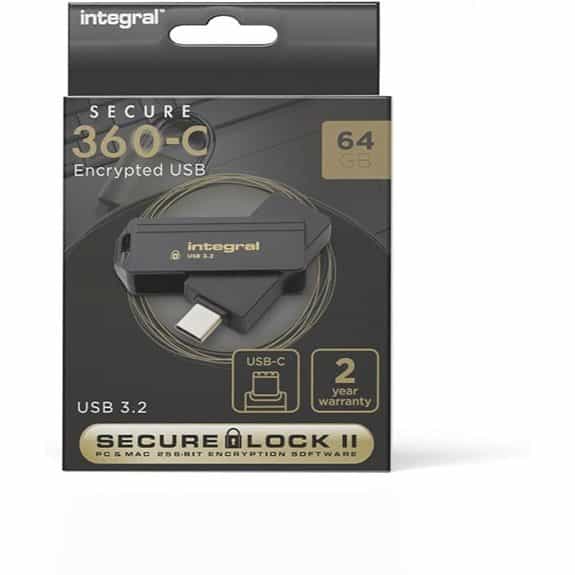 | Best Software-Free Encryption | Encryption Type: AES 256-bit | Certification: Not specified | Capacity: 64GB | VIEW LATEST PRICE | Read Our Analysis |
More Details on Our Top Picks
Integral 32GB Encrypted USB Flash Drive
The Integral 32GB Crypto-C Dual Encrypted USB Flash Drive is an ideal security solution for professionals in law, finance, healthcare, or government who need to protect sensitive data on the go. You get 32GB of secure storage with AES-256 bit hardware encryption and FIPS 197 certification. It uses dual passwords—admin and user—for better control and recovery. Plug it in via USB-C, enter your password, and you’re ready. It auto-locks when unplugged or idle. After six failed attempts, it wipes data to block breaches. No software or drivers are needed—just plug, play, and stay protected.
- Encryption Type:AES-XTS 256-bit
- Certification:FIPS 197
- Capacity:32GB
- Connector Type:USB-C
- Password/PIN Authentication:Dual password (admin/user)
- Auto-Lock or Brute-Force Protection:Auto-lock on unplug/screensaver; wipe after 6 failed attempts
- Additional Feature:Capless 360° rotating casing
- Additional Feature:Dual admin/user password control
- Additional Feature:Auto-lock on screensaver disconnect
Integral Crypto Dual 32GB Encrypted USB Drive
Protect your sensitive data with the Integral Crypto Dual 32GB Encrypted USB Drive, a secure storage solution built for professionals in legal, government, healthcare, and finance sectors who need ironclad protection for confidential information. You get 32GB of reliable flash storage with FIPS 197-certified hardware encryption for U.S. government-grade security. Use dual-password protection—set both admin and user passwords for added control. It’s rugged, waterproof, and built to survive drops, knocks, and submersion. With read speeds up to 140MB/s, it works seamlessly on PCs, Macs, and USB devices—no batteries needed.
- Encryption Type:AES-256 (FIPS 197)
- Certification:FIPS 197
- Capacity:32GB
- Connector Type:USB-A (cap design implies standard USB-A)
- Password/PIN Authentication:Dual password (optional admin/user)
- Auto-Lock or Brute-Force Protection:Data erase after 10 failed attempts
- Additional Feature:Rugged triple-layer waterproof design
- Additional Feature:Rubberised shock-absorbent outer shell
- Additional Feature:Epoxy-sealed tamper-proof electronics
Kingston IronKey D500S 512GB Encrypted USB
Need ironclad security for sensitive data? The Kingston IronKey D500S 512GB delivers with FIPS 140-3 Level 3 (pending) certification and AES-256 hardware encryption. It encrypts and decrypts right on the device—nothing stays on your computer. You’ll get multi-password options, including complex and passphrase modes, plus two hidden partitions, a first in the industry. Use crypto erasure for emergencies. Its rugged, tamper-resistant design features a shatterproof zinc body filled with epoxy. With 310 MB/s read speeds and USB connectivity, it’s fast and compatible. Weighing in at just 51.8 g, it’s portable, reliable, and built to protect.
- Encryption Type:AES-256
- Certification:FIPS 140-3 Level 3 (pending)
- Capacity:512GB
- Connector Type:USB
- Password/PIN Authentication:Multi-password with passphrase
- Auto-Lock or Brute-Force Protection:Crypto Erasure; tamper-resistant housing
- Additional Feature:Two hidden encrypted partitions
- Additional Feature:Crypto Erasure emergency wipe
- Additional Feature:Shatterproof zinc metal housing
iStorage datAshur Personal2 32GB USB Drive
Seek secure file storage that doesn’t rely on software or complicated setups? The iStorage datAshur Personal2 32GB USB Drive offers 100% hardware-based AES-XTS 256-bit encryption, validated under FIPS PUB 197. You simply set a 7–15 digit PIN on its keypad to access data—no apps needed. It works across all operating systems and delivers speeds up to 116 MB/s read, 43 MB/s write via USB 3.0. Tipping the scales at just 14 grams with a built-in lithium polymer battery, it’s portable and ready to use. With a 4.5-star rating and strong build, it’s a reliable choice for ultimate privacy.
- Encryption Type:AES-XTS 256-bit
- Certification:FIPS PUB 197
- Capacity:32GB
- Connector Type:USB 3.0 (USB-A)
- Password/PIN Authentication:7–15 digit PIN
- Auto-Lock or Brute-Force Protection:Automatic lock; military-grade protection
- Additional Feature:PIN-based authentication keypad
- Additional Feature:Built-in rechargeable battery
- Additional Feature:OS and platform independent
Integral Secure 360-C 64GB USB-C Flash Drive
The Integral Secure 360-C 64GB USB-C Flash Drive is an excellent choice for professionals and students who handle sensitive data and need reliable, no-fuss encryption on both Windows and macOS systems. You’ll appreciate its 256-bit AES encryption via Secure Lock II software, keeping files safe without installing anything—just plug in and go. It uses a dual partition system, so you can store regular and encrypted files separately. After 10 failed password attempts, it wipes data automatically, then resets for reuse. With USB 3.0 speeds up to 5 Gbps and a sleek black design, it’s fast, secure, and ready when you are.
- Encryption Type:AES 256-bit
- Certification:Not specified
- Capacity:64GB
- Connector Type:USB-C
- Password/PIN Authentication:Password via Secure Lock II software
- Auto-Lock or Brute-Force Protection:Auto-erase after 10 failed attempts
- Additional Feature:Dual partition file separation
- Additional Feature:Zero footprint software design
- Additional Feature:Dedicated UK/EU support team
Factors to Consider When Choosing Encrypted USB Drives for Privacy
When choosing an encrypted USB drive for privacy, you should check that it uses strong hardware encryption to keep your data safe. Look for models with certifications like FIPS 140-2, solid password protection, and tamper-resistant designs that prevent physical attacks. Make sure the drive automatically locks when idle so it stays secure if you leave it unattended.
Hardware Encryption Strength
Choose an encrypted USB drive that uses AES-XTS-256 encryption—it’s the gold standard for hardware-based storage protection and offers strong defense against unauthorized access. You want hardware encryption because it keeps crypto operations on the device, shielding keys from your computer’s OS and reducing hacking risks. Always check for independent certifications like FIPS 140-2 or FIPS 140-3, which confirm the encryption has been rigorously tested. Make sure the drive stores keys securely on the device and supports crypto-erase for instant data invalidation. Look for built-in brute-force protection, such as auto-wipe after a few failed attempts. Also, verify strong authentication: long password support, admin/user role separation, and retry limits. These features together guarantee your data stays private, even if the drive is lost or stolen. Don’t skip these essentials—they’re critical for real security.
Certification And Compliance
You’ve seen how strong hardware encryption protects your data at the device level—now it’s time to verify that protection holds up under independent scrutiny. Look for drives validated under FIPS 197 or FIPS 140-2/140-3, as these certifications confirm the encryption has been independently tested. Aim for at least FIPS 140-2 Level 3 or higher, since it requires tamper resistance and stronger key security. Make certain the certification covers both the algorithm and the hardware or firmware—software-only claims won’t pass audits. Check that the certificate is current, with recent test dates and lab reports, and confirm the vendor offers firmware updates and re-validation when needed. If you handle sensitive data, make sure the drive meets compliance standards like GDPR or HIPAA. These steps guarantee your encrypted USB isn’t just secure in theory—but proven and trusted in practice.
Password Protection Options
While encryption safeguards data at rest, strong password protection guarantees only authorized users can open it—so don’t settle for weak or basic authentication. Choose drives that support separate admin and user passwords, letting IT reset access without seeing personal credentials. Always pick models requiring strong alphanumeric passphrases—8 to 16 characters or more—to resist brute-force attacks. Look for hardware-enforced password entry, which locks the drive automatically when unplugged or idle. That way, if you walk away, your data stays protected. Make certain the drive erases the crypto-key or wipes data after 6 to 10 failed attempts, stopping hackers fast. Avoid password hints that match the password or store it in plain text. Instead, use optional hints that guide memory without exposing secrets. These steps guarantee sturdy, practical security without overcomplicating access.
Tamper Resistance Features
Because physical attacks can compromise even the strongest encryption, it’s essential to pick USB drives built with tamper resistance in mind. Look for rugged construction—like hardened metal casings or epoxy-filled housings—that blocks easy access to internal components. Choose models with independent certifications, such as FIPS, which verify tamper-detection and resistance features. Make sure the device protects keys using secure hardware storage and wipes them instantly if tampering is detected or after too many failed password attempts. Opt for drives with passive defenses like conductive meshes or intrusion switches that trigger lockdowns without relying on your computer. These features should work automatically, even if the device is off. Also, check that the design limits side-channel attacks by shielding the controller, minimizing power or clock leakage, and eliminating exposed debug ports. A truly secure drive stays protected—even in the wrong hands.
Auto Lock Capabilities
Even with strong tamper resistance, a drive left accessible—even briefly—can expose sensitive data if it falls into the wrong hands. That’s why auto-lock capabilities are essential. Look for hardware-enforced auto-lock, not just software, so the encryption key is instantly purged when the device is removed or idle. Set shorter timeouts—like 1 to 5 minutes—for stronger security, though this may interrupt your workflow. You can also enable auto-lock after failed password attempts, with automatic key destruction to block brute-force attacks. Make sure the feature works consistently across operating systems and during sleep or screensaver modes. Don’t assume it works everywhere—verify. Choose a drive that gives you control over lock timing and failure responses. This way, you balance convenience and real protection without leaving your data vulnerable when you step away.
Cross Platform Compatibility
When moving encrypted data between different computers, you need a USB drive that works seamlessly across operating systems without compromising security. Choose a drive that supports Windows, macOS, and Linux without requiring extra software—opt for hardware encryption with plug-and-play functionality. Use models with standard USB-A or USB-C ports and USB 3.x for fast, reliable transfers on any device. Make sure the drive appears as a single encrypted volume, since some systems struggle with multiple partitions. Check that authentication—like entering a PIN on the device—doesn’t need drivers or admin rights, especially for locked-down or public machines. Confirm the encrypted partition uses exFAT or FAT32 for broad filesystem compatibility, enabling read/write access across platforms without reformatting. These steps guarantee your secure drive stays accessible, fast, and truly cross-platform.
Physical Design Durability
Keep your data safe by choosing an encrypted USB drive built to last. Look for rugged housings made of metal or impact-resistant polymer to handle drops, shocks, and vibration. Sealed electronics with epoxy potting add extra protection against physical stress. If you’re using the drive in harsh environments, pick one with an IP67 rating or higher to resist dust, water, and corrosion. Check that connectors are sealed and the USB-C port is capless or retractable—this reduces debris buildup and breakage. Strong strain relief at the neck prevents damage from frequent plugging and unplugging. While metal builds enhance durability, they can be heavier and less pocket-friendly. Weigh size and weight against how often you’ll carry it. Finally, consider tamper-resistant features like tamper-evident seals or hardened enclosures to block physical attacks and unauthorized access.
Data Erase Mechanisms
A durable build protects your encrypted USB drive from physical harm, but strong data erase mechanisms guarantee your information stays private if the device falls into the wrong hands. Look for drives that use hardware encryption with brute-force protection—these destroy the encryption key after just 6–10 failed attempts, locking out intruders. Opt for models with secure erase or crypto-erase features, which instantly invalidate the key, making data unrecoverable without lengthy overwrites. Automatic erase triggers—like removal, inactivity, or lockout—add extra protection by wiping access when the drive is unattended. Always pair these features with solid key management, including admin recovery options, so you can regain access if needed. Verify the erase method, threshold settings, and permanence before use, especially in regulated or legal environments. Choose wisely—your privacy depends on it.
Frequently Asked Questions
Can I Use Encrypted USB Drives on Smartphones?
Yeah, you can use encrypted USB drives on smartphones if they support OTG and the drive’s encryption app has a mobile version. Just plug it in, install the app, and decrypt it like you would on a computer.
Are Encrypted USB Drives Compatible With Linux Systems?
Yes, you can use encrypted USB drives on Linux systems. Most support Linux out of the box, especially those with open-source encryption tools. Just plug in, open with your password, and you’re good to go—no extra software needed for many models.
Do Encrypted USBS Require Batteries to Function?
No, encrypted USBs don’t need batteries to work. You just plug them into your device, enter your password, and go. They draw power directly from the USB port, so you’ll never have to worry about charging or replacing batteries—super convenient and always ready when you are.
Can I Recover Data if I Forget the PIN?
No, you can’t recover data if you forget the pin—most encrypted USBs wipe the data after too many failed attempts. You’ll lose everything permanently, so keep your PIN safe or use a recovery option if your drive supports one.
Are These Drives Waterproof or Shockproof?
Yeah, most of these drives are both waterproof and shockproof, so you’re covered if they get wet or take a tumble. Just check the specs—some handle more abuse than others, but they’re built tough for real-world use.
Wrapping Up
You’ve seen top encrypted USB drives that offer strong privacy protection. When choosing one, always check encryption standards, build quality, and ease of use. Make sure it fits your storage needs and device compatibility. A good encrypted drive gives you peace of mind. Pick a trusted brand with solid security features. Protect your data—choose wisely.