To play region-banned mobile games in Australia, use a reliable VPN to connect to a server in a supported country. Open the App Store or Play Store while connected, then create a new account with a local address and payment method. Use virtual cards or PayPal for payments, and verify with VoIP numbers if needed. Keep your VPN active to maintain access. For iOS, switch your Apple ID region with a valid billing address. You’ll find more ways to access games successfully with the right tools.
Quick Guide
- Use a reliable VPN like NordVPN or ExpressVPN to connect to a server in a supported region and access blocked game stores.
- Create a new Google or Apple account set to the target region, using a local address and payment method to bypass geo-restrictions.
- Verify your account with a local phone number via VoIP or a trusted contact to complete region-specific registration.
- Maintain an active VPN connection when downloading or playing region-locked games to prevent access issues.
- Check game websites or community forums like Reddit for region availability and user-tested methods before attempting workarounds.
Why Mobile Games Are Region-Locked (And How to Bypass It)

While you mightn’t realize it at first, mobile games are often region-locked for several important reasons tied to laws, business strategies, and technical limits. You face these blocks due to licensing, age ratings, or government rules. To bypass them, use a trusted VPN to change your IP, but beware—some games disable online features or ban accounts if detected. Region locking also enables companies to enforce territorial exclusivity through licensing agreements, ensuring distributors have sole rights in specific markets. Many users in Australia rely on ExpressVPN to access geo-restricted game versions and streaming services.
Use a VPN to Access International Play Stores
A growing number of Australian gamers use a reliable VPN to access international app stores and bypass mobile games not available locally.
Download a trusted app, connect to a server in your desired country, and open the Play Store or App Store. Confirm your IP changed, update your store region if needed, and download the games you want—freedom to play is just a tap away. Many users prefer VPNs with a kill switch to protect their connection if the VPN drops.
Best VPNs for Changing Your Play Store Region
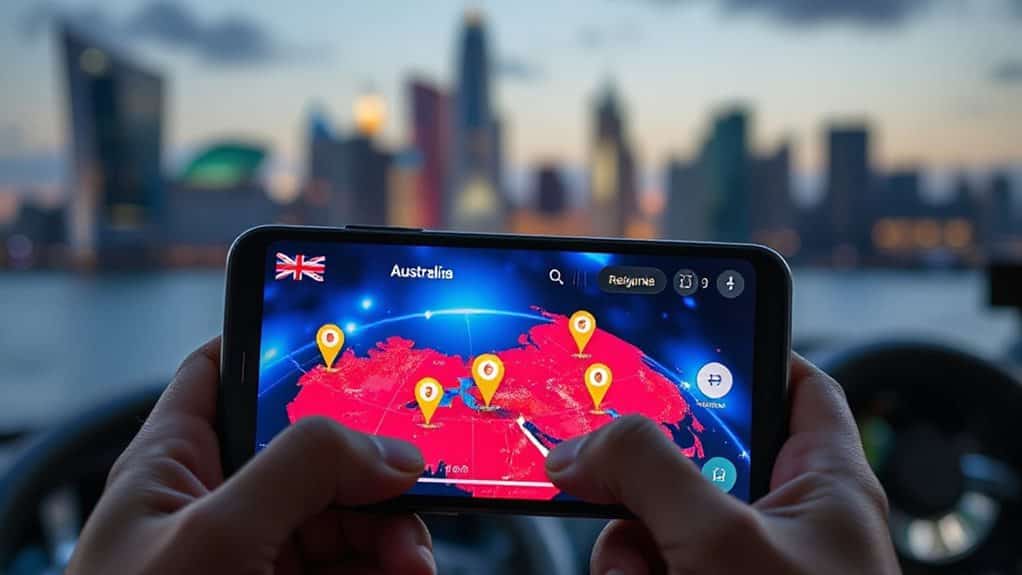
You’ll want a reliable VPN to smoothly switch your Play Store region and access games not available in Australia. Choose a service like NordVPN or ExpressVPN for fast connections, strong security, and consistent performance across Australian servers. Make sure your payment method matches your new region, and allow up to 48 hours for the change to fully take effect. ExpressVPN is headquartered in the British Virgin Islands, which helps support its zero-logging policy and privacy protections.
Best VPN Services Compared
Five top VPN services stand out when it comes to changing your Play Store region and unblocking mobile games restricted in Australia. NordVPN offers speed and security, ExpressVPN delivers reliability, Surfshark supports unlimited devices, ProtonVPN guarantees privacy, and PureVPN provides broad server coverage.
Each lets you access geo-blocked content easily, giving you the freedom to play games anywhere, anytime—without compromise.
Secure Connection Setup Tips
Now that you’ve picked a reliable VPN from the top options available, it’s time to set up a secure connection that lets you access region-restricted games on the Australian Play Store.
Connect to an Australian server, confirm your IP address matches the region, then open the Play Store.
Update your country setting, create a local payment profile, and verify the change.
Keep the VPN active for consistent access.
Create a Foreign Google Play Account in 5 Steps
If you’re looking to access mobile games not available in Australia, setting up a foreign Google Play account is a straightforward way to bypass regional restrictions.
First, create a new Google account using a local phone number from your target country. Connect to a reliable VPN there, switch to your new account in the Play Store, update country settings, and set up a foreign payment profile with a valid address. Keep the VPN active throughout.
ExpressVPN is suggested for users in Australia because it can effectively change your IP address to the target country and help with changing online location.
What Payment Methods Work for a New Region?

How do you pay for apps and games when your new Google Play account is set to a different country? Use PayPal or a virtual prepaid card linked to your Australian bank. These work internationally and bypass regional restrictions.
Avoid direct debit or BPAY—they’re local-only. Stick with widely accepted options like Visa, Maestro, or PayPal for smooth transactions across borders.
How to Verify Your Account Without a Local Phone Number?
Getting around the phone number requirement for account verification is easier than you might think.
You can use VoIP services like Google Voice or TextNow for a virtual number. Some platforms accept landlines or email verification instead. Always check the game’s policy first. Use a trusted friend’s number if allowed. Avoid fake generators—they risk account bans. Stay compliant and verify smartly.
Change Your Apple ID Country for Locked iOS Games

You’ve sorted out account verification without a local number—now it’s time to access region-locked iOS games by changing your Apple ID country.
Open Settings, tap your name, then View Account. Select Country/Region, choose your new location, and agree to the terms.
Spend your balance, cancel subscriptions, and add a valid payment method.
Update your billing address to match.
Once confirmed, you’ll access the new region’s App Store instantly.
How to Find a Game’s Required Region?
Check the game’s official website—URL clues or regional banners often show where it’s available.
Look for region listings on the developer’s site or Steam store page to confirm supported countries.
Join community forums where players share updates on server access and regional restrictions.
Game Website URL Clues
Start by visiting the game’s official website or store page to spot region-specific clues that reveal where it’s available. If you see error messages, blocked access, or redirects, the game’s likely banned in Australia.
Check for local payment prompts or postal code requests—they signal regional locks. A working URL from a permitted region confirms access.
Use these signs to identify where the game runs freely.
Official Region Listings Check
To get to the bottom of where a mobile game is officially available, head straight to the source by checking the app stores themselves—your first real clue lies in how the game appears on the Google Play Store or Apple App Store.
If it’s missing or greyed out, it’s likely banned. Check your account’s country setting, and review developer policies or support pages to confirm allowed regions.
Community Forum Insights
Often, the fastest way to uncover a game’s required region is by tapping into active player communities.
Join forums like Reddit or Discord to ask where a game is available. Players share real-time updates on regional access, workarounds, and server launches.
Check pinned posts for region-specific details.
These perspectives help you stay informed and make smart choices without waiting for official announcements.
Wrapping Up
You now have the tools to access region-locked mobile games in Australia. Use a reliable VPN to change your virtual location and switch your app store region. Set up a foreign Google Play or Apple ID account with valid payment methods like gift cards. Verify your account using temporary email or international phone services. Always check a game’s required region first. Follow these steps carefully, stay compliant with local laws, and enjoy broader gaming access—safely and efficiently.