Reviewed by the VPNStreamer Team · Last updated: July 2026 · (How we compare VPNs)
Australia runs one of the more closely watched internet environments in the developed world. Since 2015, your internet provider has been legally required to hold onto two years of your metadata — who you contacted, when, and how — under the Mandatory Data Retention Scheme. Add Australia’s place in the Five Eyes intelligence-sharing alliance, and a VPN here isn’t really optional anymore — it’s closer to basic hygiene.
It’s also the easiest way past the geo-blocks that split the internet up by country, whether that’s watching Kayo or Stan while you’re travelling overseas, or unlocking a US Netflix library from your lounge room.
The catch: not all VPNs are equal. Speeds, security, and streaming support vary wildly between providers, and a few big names are still coasting on reputations they haven’t earned in years.
We tested and compared ten of the best VPNs available to Australians in 2026, so you don’t have to. Here’s how they stack up — and which one is the best VPN for Australia.
 |  | Special Deal SAVE 82% |
|
 |  | Special Deal SAVE 80% |
|
 | | Special Deal SAVE 73% |
|
 | | Special Deal SAVE 83% |
Why a VPN is Important for You to Have in 2026
Every year, more of what we do runs through the internet — banking, work, health records, casual scrolling on public Wi-Fi at a café or the airport. Every one of those connections is a chance for someone to snoop, whether that’s a hacker on the same coffee-shop Wi-Fi or your own internet provider.
That last part matters more here than in most places. Under the Telecommunications (Interception and Access) Amendment (Data Retention) Act 2015, Australian ISPs and telcos have to hold onto your metadata for two years — who you called, emailed, or connected to, and when — regardless of whether you’ve ever done anything wrong. Combine that with Australia’s membership in the Five Eyes alliance, and encrypting your connection stops being a “nice to have” and starts being a default setting.
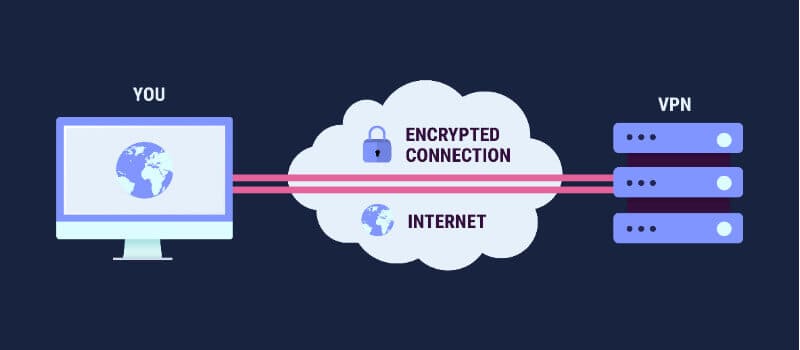
A VPN does two concrete things: it encrypts your traffic so your ISP — or anyone else on the network — can’t see what you’re doing, and it lets you appear to be connecting from somewhere else, which is how you unblock a streaming library, dodge a regional price markup, or keep watching Australian sport and TV while you’re overseas.
None of that is automatic, though. A slow, leaky, or badly-run VPN gives you all the inconvenience and none of the protection. That’s what the rest of this guide is for.
The Best VPNs for Australia Reviews
1. NordVPN
The company claims it offers the most secure VPN connection. Whether this is true or not, we will quickly find out.
Servers: 7,800+ | Server locations: 118+ countries (including Sydney, Melbourne, Brisbane, Perth, Adelaide) | Devices supported: 10 | Country: Panama
Highlight: Most Australian-based servers of any VPN on this list
NordVPN turns up as the top pick in almost every independent VPN roundup for Australia in 2026, and for good reason — it pairs some of the fastest speeds on the market with the most Australian-specific server infrastructure of any provider on this list. If you want the safest, fastest default choice without picking apart trade-offs, this is the best VPN for Australia.
Pros
Cons
Pricing
| 1 Year | $6.99 per month | Billed Yearly ($83.88 - Save 41%) |
| 2 Year | $3.99 per month | Billed $54.00 every 2 Years ($95.75 - Save 66%) |
| 3 Year | $2.99 per month | Billed $83.88 every 3 Years ($107.55 - Save 75%) |
NordVPN’s biggest advantage is speed. Built on its own NordLynx protocol (a tuned implementation of WireGuard), it consistently ranks among the fastest VPNs in independent testing — noticeable if you’re streaming in 4K or gaming over a VPN connection, not just browsing.
SPECIAL OFFER – Save up to 72% on the 2-Year Plan
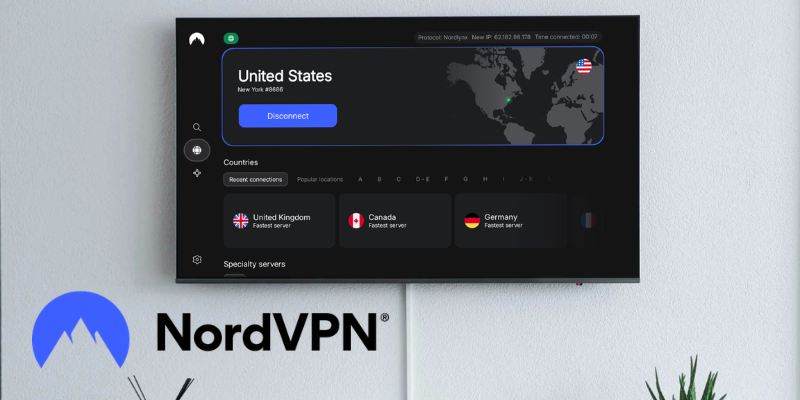
It’s also the most Australian-aware VPN on this list. NordVPN runs roughly 200 servers across five Australian cities — Sydney, Melbourne, Brisbane, Perth, and Adelaide — meaning faster local speeds and no need to route through a US or Singapore server just to get online. Threat Protection Pro adds malware, ad, and tracker blocking that works even when the VPN itself is switched off, and Meshnet lets you securely link your own devices together over the internet, handy for remote access to a home PC or NAS.
The main trade-off is that NordVPN caps you at 10 simultaneous devices rather than Surfshark’s unlimited, and turning on Double VPN or the obfuscated servers (useful in places that actively block VPN traffic) costs you noticeable speed. For most Australians running a phone, laptop, and a couple of streaming devices, 10 is plenty — and a compatible router can cover everything else in the house under a single connection.
2. Surfshark
The company claims it offers the most secure VPN connection. Whether this is true or not, we will quickly find out.
Servers: 3200+ | Server locations: 100+ countries | Devices supported: Unlimited | Country: Netherlands
Highlight: No limit on simultaneous device connections
Surfshark has gone from budget outsider to one of the most recommended VPNs on the market, and it does it with one simple trick: it doesn’t cap how many devices you can connect. One subscription covers your phone, laptop, smart TV, and everyone else in the house, which alone makes it one of the best VPNs for Australia if you’re not keen on paying for multiple accounts.
Pros
Cons
Pricing
| Plan | Price/mo | Billing |
|---|---|---|
| 2 Years (Best Value) | $2.49 | Billed $59.76 every 2 years |
| 1 Year | $3.39 | Billed $47.85 every 12 months |
| 1 Month | $16.45 | Billed Monthly |
Surfshark’s headline feature is unlimited simultaneous connections — no other provider on this list offers that. Combined with the lowest long-term price of any premium VPN here, it’s the easiest recommendation for a household running more than a couple of devices.
SPECIAL OFFER – Save 83% on the 2-Year Plan
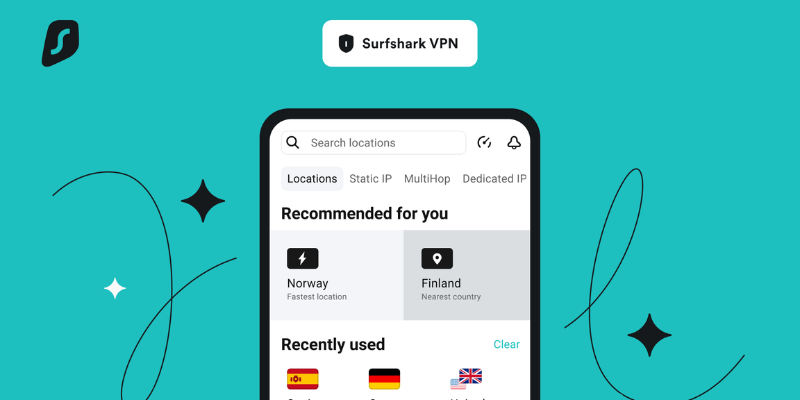
It also punches above its price point on features. CleanWeb blocks ads, trackers, and malware before they load, Bypasser lets you split-tunnel specific apps or sites around the VPN, and MultiHop routes your traffic through two countries when you want extra distance between you and your connection. For Australians, it reliably unblocks Stan, Kayo, and Foxtel from overseas, plus Netflix Australia and the usual US and UK libraries, all from the same app. (Read our full Surfshark review.)
Speed-wise, it isn’t always quite as fast as NordVPN on distant servers, and its total server count is smaller. The bigger thing to know: Surfshark is based in the Netherlands, which sits inside the Nine Eyes intelligence-sharing group — not the cleanest jurisdiction on this list (see our 5/9/14 Eyes explainer for what that actually means). It hasn’t caused Surfshark any known problems, and its no-logs policy is independently audited — but if jurisdiction is your top priority, NordVPN (Panama) or ExpressVPN (British Virgin Islands) sit outside all three intelligence alliances.
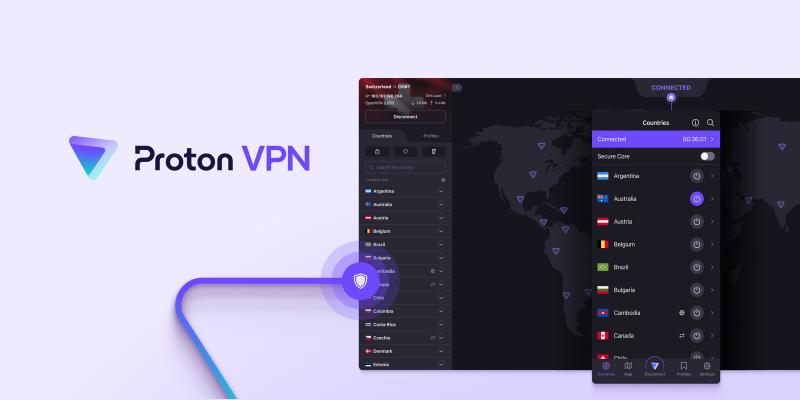
3. ProtonVPN
Servers: 17,000+ | Server locations: 127+ countries | Devices supported: 10 | Country: Switzerland
Highlight: Run by a non-profit foundation, not a private equity firm
ProtonVPN is the odd one out on this list, and that’s exactly the point. It’s run by the non-profit Proton Foundation — the same organisation behind Proton Mail — which makes it the closest thing here to a VPN built for privacy first and profit second. If jurisdiction, transparency, and genuine no-logs claims matter more to you than shaving another dollar off your monthly bill, this is the best VPN for Australia in that category.
Pros
Cons
Pricing
| Plan | Price/mo | Billing |
|---|---|---|
| 2 Years | $2.99 | Billed $71.76 every 2 years |
| 1 Year | $4.99 | Billed $59.88 every 12 months |
| 1 Month | $9.99 | Billed Monthly |
ProtonVPN’s biggest selling point isn’t even the paid plan — it’s the free one. Where most “free VPNs” throttle your speed, cap your data, or quietly sell your browsing habits to stay in business, Proton’s free tier has no data cap, no ads, and no logging, full stop. It’s a genuinely useful way to try before you commit, or to keep as a backup on a device you don’t use often.
SPECIAL OFFER – Save up to 71% on the 2-Year Plan
On the paid tier, you get Secure Core (routes your traffic through a hardened server in a privacy-friendly country like Switzerland or Iceland before it touches the wider internet), the Stealth protocol for getting around VPN blocks, and NetShield to strip out ads, trackers, and malware before they load. Every app is open-source and independently audited, which is more than most providers on this list can say. Switzerland’s data protection laws are also considerably stronger than anything on offer inside the Five Eyes.
The trade-off is price. Pay month to month, and ProtonVPN is one of the more expensive options here; you need the 2-year plan to get it down near Surfshark and NordVPN territory, and there’s no dedicated IP option if you need a static address for work or banking access. For most people, chasing privacy over bargain-bin pricing, that’s a fair swap — and since it’s the same team behind Proton Mail, the VPN slots into the same account if you’re already using their email service.
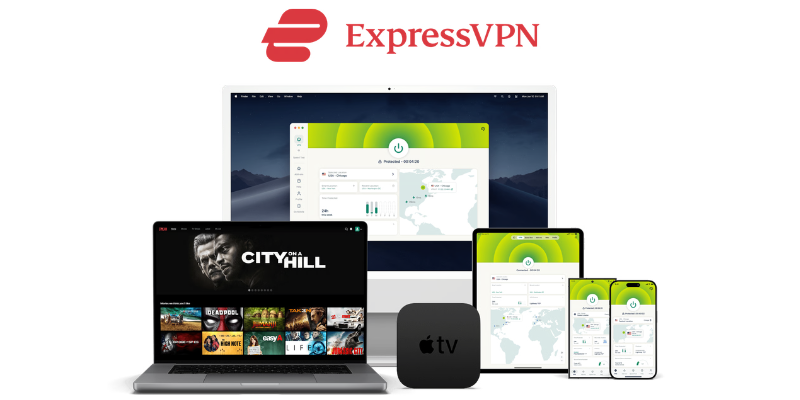
4. ExpressVPN
Servers: 3,000+ | Server locations: 113 countries | Devices supported: 10 (Basic tier) | Country: British Virgin Islands
Highlight: Most independently audited VPN on this list
ExpressVPN has built a reputation on doing the fundamentals well rather than chasing gimmicks — it’s simple to set up, fast almost everywhere, and backs its privacy claims with more independent audits than any other provider here. That reliability is what makes it one of the best VPNs for Australia, even at a higher price than most of this list.
Pros
Cons
Pricing
| Plan | Price/mo | Billing |
|---|---|---|
| 2 Years | $3.49 | Billed $99.95 (28 months) |
| 1 Year | $4.99 | Billed $59.88 every 12 months |
| 1 Month | $12.99 | Billed Monthly |
ExpressVPN now runs three tiers — Basic, Advanced, and Pro — rather than one flat plan. Basic (above) covers everything most people need: fast Lightway-protocol speeds, 10 simultaneous devices, and full geo-unblocking. Advanced adds a password manager and broader tracker blocking for about $1/month more; Pro adds a dedicated IP address and identity-theft monitoring for users who want the full bundle.
SPECIAL OFFER – Save 80% on the 2-Year Basic Plan
Trust is where ExpressVPN separates itself. It’s completed 23 independent security audits, achieved ISO 27001 certification in February 2026, and publishes a regular transparency report — its most recent covered 1.38 million legal requests with zero user data disclosed. Add a $100,000 bug bounty program, and it’s hard to find a VPN doing more to prove its claims rather than just make them.
The main gripe is price: Basic still costs more per month than NordVPN or Surfshark at the same term length, and there’s no free trial to test it first. The 30-day money-back guarantee is the next best thing — full refund if it’s not for you.
5. CyberGhost
Servers: 9,000+ | Server locations: 100 countries | Devices supported: 7 | Country: Romania
Highlight: Self-owned “NoSpy” servers in a country outside all data-retention alliances
CyberGhost is one of the easiest VPNs to just point at a streaming service and forget about. Dedicated, pre-optimised servers for Netflix, Stan, Kayo, and more take the guesswork out of picking a location, and budget pricing makes it an easy recommendation for beginners.
Pros
Cons
Pricing
| Plan | Price/mo | Billing |
|---|---|---|
| 2 Years (+2 months free) | $2.19 | Billed $59.13 every 26 months |
| 1 Year | $4.29 | Billed $51.48 every 12 months |
| 1 Month | $12.99 | Billed Monthly |
CyberGhost’s biggest strength is streaming. Instead of picking a country and hoping, its app shows dedicated servers labelled by streaming service, so you just tap “Netflix US” or “Stan” and connect. Combined with a 100-country network and NoSpy servers it owns and runs itself out of its Romanian headquarters, it’s a genuinely privacy-friendly, low-effort option.
SPECIAL OFFER – Save 83% on the 2-Year Plan
The 7-device cap is the main limitation if you’re covering a full household, though installing it on a compatible router gets around that for shared home connections. Worth knowing too: CyberGhost, ExpressVPN, and Private Internet Access are all owned by the same parent company, Kape Technologies — each is still a distinct product with different servers, pricing, and features, but it’s fair for readers to know the connection.
6. Private Internet Access (PIA)
Servers: 35,000+ IPs | Server locations: 90+ countries | Devices supported: Unlimited | Country: United States
Highlight: No-logs policy proven in two separate US federal court cases
Private Internet Access is the pick for anyone who wants to dig into the settings rather than just tap connect. Choose your own encryption cipher, toggle the built-in MACE ad blocker, or set split tunneling app by app — it’s the most configurable VPN on this list, at one of the lowest prices.
Pros
Cons
Pricing
| Plan | Price/mo | Billing |
|---|---|---|
| 2 Years (+2 months free) | $2.19 | Billed $56.94 every 26 months |
| 1 Year | $3.33 | Billed $39.99 every 12 months |
| 1 Month | $11.95 | Billed Monthly |
PIA’s standout claim isn’t marketing spin: its no-logs policy has actually been tested in two separate US court cases, and in both, PIA had no user data to hand over. That’s a rare, concrete proof point in an industry full of unverifiable promises. Every device connects under one subscription with no cap, so it’s a strong pick for a household or anyone running a VPN on a router.
SPECIAL OFFER – Save 82% on the 2-Year Plan
The catch is jurisdiction — PIA is US-based, inside the Five Eyes alliance, which matters if you want a provider headquartered somewhere with no local surveillance-sharing obligations at all (see NordVPN or ExpressVPN for that). Streaming support is also a little patchier than the top picks on this list; PIA is built more for privacy and torrenting than for reliably unblocking every catalogue.
7. IPVanish
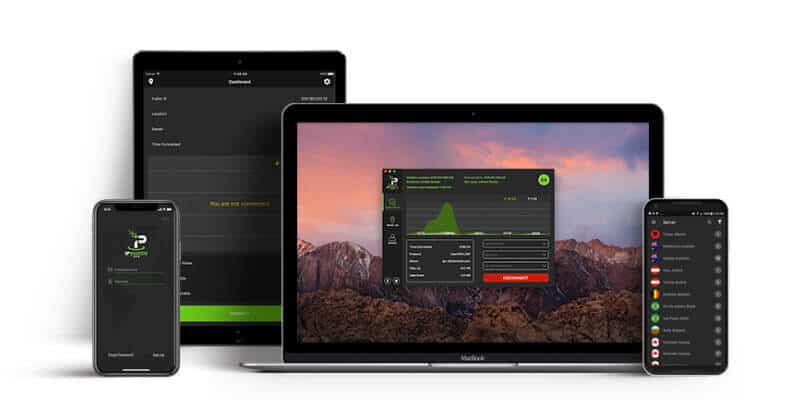
Servers: 2,400+ | Server locations: 113 countries | Devices supported: Unlimited | Country: United States
Highlight: Unlimited devices with strong torrenting speeds
IPVanish shares the “unlimited devices” advantage with Surfshark and PIA, but it earns its spot here on torrenting performance and its long history with Kodi and Android setups — it’s the pick if that’s specifically what you’re using a VPN for.
Pros
Cons
Pricing
| 1 Month | $10.00 | Billed Monthly |
| 3 Months | $8.99 | Billed $26.99 every 3 months |
| Yearly | $3.24 | Billed $77.99 every year SAVE 73% (Get 1 Year FREE) |
If most of what you use a VPN for is torrenting or streaming through Kodi, IPVanish is worth a closer look — it’s built and marketed specifically around those use cases, with consistently strong download speeds and no device limit to worry about across a whole media setup.
SPECIAL OFFER – Save 83% on the 2-Year Plan
It’s a US-based company (same corporate family as StrongVPN, under Ziff Davis), so it doesn’t have the jurisdictional edge of NordVPN or ExpressVPN, and it skips more advanced privacy features like multi-hop routing. For general browsing and mainstream streaming, one of the top picks on this list will likely serve you better — IPVanish earns its place specifically on the torrenting and Android/Kodi use case.
8. PureVPN
Servers: 6,500+ | Server locations: 70 countries | Devices supported: 10 | Country: British Virgin Islands
Highlight: Cheapest long-term plan on this list, with regular third-party audits
PureVPN is the budget pick for anyone who wants a full feature set — dedicated IPs, residential IPs, 10 device connections — without paying premium prices. It’s worth knowing its history before you buy, but the current product has been independently re-audited multiple times since.
Pros
Cons
We’ll be upfront about PureVPN’s history: in 2017, before it operated under a proper no-logs policy, it handed connection data to the FBI as part of a criminal investigation. Since then, it’s rebuilt around a genuine no-logs model, relocated to the British Virgin Islands, and undergone repeated third-party audits. It’s a fair budget pick today, but if a completely clean track record matters most to you, NordVPN or ProtonVPN carry less baggage.
SPECIAL OFFER – Save 81% on the 2-Year Plan
What you get for the price is solid: 10 device connections, dedicated and residential IP add-ons most budget VPNs don’t offer, and Bitcoin support if you want to pay without linking a card. It won’t out-stream or out-speed the top three picks on this list, but as an all-rounder at this price, it’s hard to beat.
9. Mullvad
Servers: 700+ | Server locations: 50+ countries | Devices supported: 5 | Country: Sweden
Highlight: No affiliate program, no email required — about as close to a truly anonymous VPN as exists
Mullvad doesn’t play the same game as everything else on this list. There’s no free trial funnel, no aggressive multi-year discount, and no personal information collected at signup — you get a random 16-digit account number, and that’s it. We don’t earn anything recommending it, which is exactly why privacy purists rate it so highly.
Pros
Cons
Pricing
Mullvad charges one flat rate, regardless of term length: $5.50/month (paid in €5 increments), whether you sign up for a month or a year. Paying with cryptocurrency gets a 10% discount. There’s no cheaper long-term plan to chase, and no renewal price trap — what you see is what you pay, indefinitely.
If your priority is genuine anonymity — not just privacy from your ISP, but privacy from the VPN provider itself — Mullvad is worth the trade-off in server count and streaming support. For everything else on this list, it can’t compete: no Netflix, no dedicated streaming servers, and a noticeably smaller network than even TunnelBear. Think of it less as your daily-driver VPN and more as the option for the specific moments anonymity actually matters.

10. Tunnelbear
Servers: 5,000+ | Server locations: 46 countries | Devices supported: Unlimited (paid plans) | Country: Canada
Highlight: Simplest, most beginner-friendly VPN app on this list
TunnelBear isn’t chasing the fastest speeds or the biggest server count — it’s chasing the person who’s never used a VPN before and just wants something that works with one tap. The bear-themed app is genuinely the easiest to hand to a less technical family member.
Pros
Cons
TunnelBear earns its spot for one reason: almost nobody finds it confusing. Turn it on, pick a country from a map, done. It’s also one of the few VPNs that has published independent security audits since early on, so the simplicity isn’t hiding anything underneath.
SPECIAL OFFER – Save 67% on the 3-Year Plan
It won’t win on server count, speed, or streaming — that’s not what it’s for. If you or someone you’re setting this up for just wants basic protection on public Wi-Fi without learning any new settings, it’s a solid, honest pick. If you want to reliably unblock streaming libraries or need serious speed, one of the top picks on this list will serve you better.
Who Actually Owns Your VPN?
The VPN industry has consolidated more than most people realise. Several of the “independent” brands you’ll see recommended across the internet — including on this page — share the same parent company. That doesn’t automatically make a service worse, but it’s the kind of thing a genuinely useful comparison should tell you rather than hide.
| VPN(s) | Parent Company |
|---|---|
| NordVPN, Surfshark | Nord Security |
| ExpressVPN, CyberGhost, Private Internet Access | Kape Technologies |
| IPVanish, StrongVPN | Ziff Davis |
| ProtonVPN | Proton Foundation (non-profit) |
| PureVPN | Independent |
Kape Technologies also owns several popular “independent” VPN review sites — worth keeping in mind next time a best-VPN list looks suspiciously favourable to one brand. Each product above still runs its own infrastructure, pricing, and features, and shared ownership isn’t a red flag by itself. We just think you should know who you’re really buying from.
What VPN Service suits your needs?
Due to geographical location or different devices or needs of users. The choice of a VPN account can vary wildly. Not all give the same benefits, and internet traffic is treated differently. Service providers aim to provide a service that covers all their customers’ needs, yet they have to make sure they can still operate as a business.
A few are only jumping on the Secure VPN bandwagon without being able to support their claims entirely. The best and cheapest VPN rarely go together, especially when you want the best for a particular reason. Here we have listed which VPN is best for the most common reasons that are asked.
From the US through Europe to the far reaches of the other side of the globe, here you will find the best VPN Australia to meet your specific needs.
Best VPN for Torrents
ISPs have made a significant clampdown on the best torrent sites, with some of the most notable being shut down and a good example being the Pirate Bay. Now, governing agencies are checking heavy users for downloading from torrent sites, legitimate or not.

Anyone can see other users’ IP addresses with most torrent software when you make a torrent download. With its high speeds and reliability, ExpressVPN is the outright winner and is the best VPN in Australia for torrenting due to the high saturation of servers and locations around the globe.
Best VPN for Netflix
The best VPN services can be looked at as being popular because it allows privacy when downloading. They also allow you to unblock certain websites in other countries, such as one of the most popular US Netflix websites. ExpressVPN wins again.

Video streaming can soon become a significant bottleneck in your connection, so a Netflix VPN with good speeds is crucial when watching HD or 4K programs. With the number of servers and the number of locations worldwide, when you look at how to get American Netflix in Australia. No other fast VPN can match ExpressVPN.
Best VPN for Mac
Mac users have long thought they were safe from having to have security like PC users. Things have changed, and although they are safe from some threats, the security of their connection is becoming a concern. NordVPN ranks the highest for a MAC VPN and brings with it a host of welcome features, a robust service set, and a user interface that gives much more than the PC counterpart.

It provides the same service, yet you can filter the servers and choose the one that best fits your needs, be it P2P file-sharing or video streaming. This you cannot do with other services, and it is easy to see why NordVPN is the top VPN for MAC users.
Best VPN for Android
The interface of IPVanish appears to be quite basic, yet this is not to detract from the good, reliable Android VPN that it provides. The company is high-profile and delivers pretty much of what it says, and the only real gripes are that the support is a little so-so, and it is based in the US.

The upside shows no sign of IP leaks and even includes a Smart DNS for all subscribers. With servers in over 60 countries, you have plenty of coverage for P2P file-sharing or video streaming. The VPN setting for Android is pretty much set once you have installed the app. A worthy winner.
Best VPN for iPhone
The IPVanish app has been updated to deal with a couple of customers’ quibbles, and since then, it has risen to the top pretty quick. You can set it to always-on, which is quite handy as our iPhones are rarely turned off to be the best VPNs for Australia.

It might be a little technical for new users, yet it comes with some powerful features that are useful to make sure you keep those prying eyes away, and the IPVanish app comes out on top for many speed tests when used on the iPhone. It does what it says and also delivers on what it promises.
Best VPN for Windows
Microsoft aims to give its users everything. They have even tried to provide a solution for internet connections. Unfortunately, the Windows built-in VPN client does not offer the same performance level as NordVPN, which comes out on top for Windows-based clients.

With the automatic configuration, it is easy to set up for new users. Also coming with much more flexibility if needed, and you can opt between servers to fit your needs. It gives all you need and that little bit extra without compromising security, which uses AES-256-CBC in the OpenVPN protocol by default.
Best VPN for Kodi
If you are using Kodi, the open-source home entertainment software, you might have seen that some countries are stamping down on users who use it to stream content. Besides geographical limitations and security issues in Kodi, it makes much sense to have a Kodi VPN in place.

With rock-solid encryption and a no-logging policy, IPVanish Kodi climbs into the top spot. It is affordable and delivers plenty of speed (a 15% increase compared to others). There are unlikely to be any issues with streaming any content you might wish with many servers in suitable locations.
Best VPN for China
China has many restrictions in place for the internet. It affects not only residents but also travellers. Because of this, there are many VPN’s that don’t work because of the China VPN ban. NordVPN has announced that they now work in China, which is useful for users (especially anyone in Shanghai or Beijing).

Their fix means they will be safe for a good while and makes sure they can give the best streaming speeds, and they can access Netflix US and Hulu, which block many of NordVPN’s rivals. For a VPN in China that works and can still deliver on its promises, NordVPN is the best affordable choice.
Free VPN vs. Paid VPN
Many people want to use a service provider and wonder why they should pay for one when there are many free services on offer. That does seem a reasonable question on paper, yet most free VPN software is cut-back versions of the paid-for apps and only intended as a sample of what is on offer. These give basic functionality and nowhere near as many features or server coverage as their paid-up counterparts.
A prime example of a top free VPN provider is Windscribe free. Their offering is free for as long as you wish, yet there are limitations. Server locations are cut back from 50 to 11, and you have a 10GB month allowance. This might be okay for casual surfing, yet this will quickly be consumed if you stream any content.
CyberGhost is another company that offers a free trial, and it does give you full protection, yet you also have limited coverage, and performance takes a hit because of this. With the paid-up version, you can add more devices, and you get the built-in ad-blocker as standard as well as the full level of security. Another top free trial VPN service provider is TunnelBear, which offers much the same as other top name providers.
| Features | Free VPN | Paid VPN |
|---|---|---|
| Fast connection speeds | ||
| Customer service | ||
| Multiple Devices Allowed | ||
| Strong Encryption | ||
| Keep Activity Logs | ||
| Can Sell Your Data to 3rd parties |
Once you have studied the facts and the figures to find the best free option or the best paid-for option, you will quickly see the difference between them. There might also be one other factor that not many people consider while looking at a free VPN service.
This comes down to location. Many of the free versions have limited country locations and restricted numbers of servers. While these might be fine in the US and Europe, is a free VPN in Australia going to work anywhere near as good as a more centralised location?
As much as anyone would love to have a free version that gives all the benefits of a paid-for version. Unfortunately, this will never happen. These companies mentioned can only provide a free trial or a limited feature set copy by the money they make from the full paid options.
For any household with more than one connection and that wishes to protect their privacy, a paid-up option can be a small price to pay, especially if you can add the provider to mobile devices for when you are away from home.
Free versions do have their pros. If you need simple protection while travelling, one of the trials on offer is worth using, yet for full-time use or full-strength protection and privacy, the cons outweigh any benefits you can have from a free version.
When choosing the best one for your needs, paid versions to give you the best offer with no restrictions. Moreover, you will find a full complement of VPN services in Australia and other locations to choose from in that geographical area; connections are not a problem.

Who Uses a VPN? Types of VPN users
Content Streamers
Online streamers need to make full use of VPNs to geo-shift their locations to access various content from different countries. It does not matter if you want to watch Hulu in Australia or do some binge-watching of your favourite shows from the UK.
For the BBC iPlayer, Channel 4 on Demand, and iTV player, your location must appear to be in the UK to gain access. No matter which service you choose, there should be servers in that country, or you still won’t be able to gain access to their content.
Much is the same with Putlocker and HBO Go Australia, which have been geo-locked. You need a VPN to access these while at home or if you are travelling. The more time goes on, the harder it gets for viewers to stream their favourite shows. The top VPN service providers work hard to make sure this content can remain available for your enjoyment.
Privacy Concerned
This is one of the main reasons users are looking toward using a VPN. Privacy is a huge concern, especially in a few areas. The first being public WI-FI hotspots, which leave you open to hackers. They use these to gain access to a person’s device and ultimately to data and personal information. The threat imposed by governments is then starting to enforce that ISPs retain records for online tracking.
You might be familiar with the Australian metadata laws, where Australian telecoms companies are required to keep six forms of metadata. This opens up a massive can of worms as this information can be accessed and used without your knowledge or consent.
A VPN for private browsing is more important than ever and is now much more of a threat than any Ad network; thankfully, these can be blocked, making browsing experiences much more enjoyable.
Sports Fans
Sports fanatics love to keep up with their latest teams, and most of this, they love to watch live, regardless of the time of day or night. As the sport has become such a huge business, broadcasting these is based on the geographical area using IP related data. This can block all your favourites, whether the English Premier League, beIN sports in the US, or Formula 1 from Sky Sports.
This can be even more restrictive with mobile devices as the phone’s GPS data can tell the broadcasting companies where you are physically located. VPN tunnels can be the best way to circumvent these restrictions, yet some services require you to connect to a server in the teams’ vicinity. A fully-fledged company should have more than enough servers in ideal locations that will allow you to keep up with the latest matches of live NBA and NFL.
Torrents/Downloaders
There are many fans of downloading content, and it can be either movies or music, among other things. A significant amount of this content might be illegally distributed, yet that is not to say everyone is downloading illegally. Many legitimate sites use torrents as a means of spreading their wares, yet ISPs or anyone involved with digital copyright might not look at it this way.
To safeguard yourself against this, it is advisable to find the best torrenting VPN that can give you the best world coverage and the best speeds, regardless of your geographical location. By the way, laws are clamping down on users’ prevention is better than cure. Anonymous downloading does not have to be illegal, but it is better to be free from anyone who might think that is precisely what you are doing.
Businesses
This type of user can include a regular person who has an online store up to multinational companies who fully use employees on the road or remote workers who connect to their workplace from their homes. There are numerous VPN uses, from secure VOIP calls to sensitive customer data or log-in credentials. This can be protected by a VPN with secure tunnelling protocols and data encryption.
With a secure socket tunnelling remote or roaming, workers can access a business network as if sitting in the office. VPN solutions for small businesses do not have to be expensive, yet they are costs that are worth bearing if workers connect through public WI-FI hotspots. Breaches of customer data are continually in the news and can have devastating effects on business. This can be as much as a reputation as any financial costs that might be incurred.
FAQ – Frequently Asked Questions
What is a VPN?
VPN is an abbreviation for Virtual Private Network and is a service that allows you to connect to the internet through a third-party’s servers. This does not mean you can connect to the internet without an internet service provider. When you connect to the internet, you do so through your ISP; from here, you link to any website you visit.
All your information passes through your ISP and can be viewed or logged by them. When you use a Virtual Private Network, your connection is masked and encrypted, so even your ISP cannot see that you have made a connection. You have become invisible to everyone apart from you and the VPN provider.
Why use a VPN?
There are many reasons to use a VPN network service, yet one of the main ones is protecting personal information and privacy. Many countries are enforcing your ISP logs on your browsing history, which is a massive invasion of privacy. Hackers can also break into your system and install Malware.
This can include many hidden programs that record what you do and send this information back to them so they can access any login details you might have stored on your device. You also have the opportunity to view content that is blocked as you do not live in the same geographical region. Using a VPN, the internet will become safer and without (as many) restrictions.
Is VPNs Safe to Use?
VPNs are very safe to use, yet you should be aware of a couple of things. In most cases, a VPN provider will state they hold no logging information. This should be checked depending on the country where your VPN service is based. Some countries make it compulsory to retain logs regardless of what the company states. (Read NordVPN Vs ExpressVPN Australia)
Occasionally, you can find a company stating they do not monitor a user’s sessions. Some do, as it helps with any troubleshooting issues should they arise. Some companies also share IP addresses, which give you another level of anonymity. Regarding your system or device, they cannot harm you, and the worst that can happen is you lose your connection for a while.
Where Can I Get a VPN?
Purchasing an anonymous VPN service from the internet is easy. Many sites do reviews of the best Australian VPN services. Ideally, visiting the provider’s homepage is better than making sure they offer all you need. There is also the option of buying a new router that has already been configured and tested as secure and is ready to work right out of the box.
With these, it is a matter of connecting the new router to your home connection, and then you can use any device securely as easily as connecting to your home WI-FI. The more reputable VPN companies make it easy for you to sign up for their services either way.
What is a VPN Service Provider?
It is a company that passes your browsing requests through its VPN servers to the internet. They use a secure connection that your computer or device makes to one of their many servers. The more prominent companies have thousands of servers located in many countries. This they do to provide the best possible speed for your geographical location and access content locked into a specific country.
The VPN Company is the middleman ensuring your connection is secure and protected. Unless they have a restriction in place for downloading or keeping a log of what you do, they are not interested in your online activity.
How Do I Setup a VPN?
VPNs used to be quite technical to set up, yet now the VPN providers know that more and more people are looking to use a VPN service. Some more popular VPN services are as easy as installing the software. From there, everything is set to a default, secure enough to allow you to browse immediately with no intervention.
Other services might ask you to choose a specific protocol that changes how your connection performs different tasks. The same can be said for the router location; for some services, you can choose which router you wish to connect, and the software will give you the options in a list. It might be a case of turning on the VPN service for the average user, as not all are always-on solutions.
How Do I Test My VPN?
When you sign up and expect privacy, you would feel slightly upset that they can have leaks. These leaks will leave you vulnerable to being spotted, or they can be enough to block you from streaming your favourite content. To check for these, you can use a simple tool https://ipleak.net/, which gives a detailed overview of your supposedly secure connection status.
Once the tool runs, it is all laid out and easy to understand. The first box gives your IP address from the VPN. The next two sections are crucial, and if you see your real IP address while using a VPN in either of them, you have either a WebRTC leak or a DNS leak. This is why it is crucial to get the best VPN service.
Final Word for the Best VPNs for Australia
As you can see from the VPN Reviews, Australia has more than enough to choose from. A paid VPN provider can be worth much more than a free VPN service. If security is a prime concern for you, your family, or your business, it is worth the investment.
At home, a VPN will pay for itself repeatedly, with overseas content that can be watched to download or your favourite sports. Now you can access all of it (VPN provider dependent) at no extra cost apart from the VPN.
If you only use a VPN at home, it is worth considering a VPN router or updating your current router to use the VPN and giving your devices simultaneous access and, with the right provider, unlimited bandwidth. Now you are guaranteed security and privacy that is always there for any device used in your home.
Having a personal VPN can save plenty of aggravation and cost if a device stands the chance of being hacked. That alone should make the VPN cost worth the investment. The best VPNs for Australians have more than enough server coverage, and speed is well-catered for.
Distance does impact performance, yet the top 10 VPN providers try their hardest to resolve this, as you can see from their VPN service ratings. You will not regret it if you do your homework and find the best Australian VPN that covers your needs.
How We Compare VPNs
This isn’t a lab report, and we’d rather be upfront about that than pretend otherwise. Here’s exactly what goes into every entry on this page:
Published, verifiable claims only. Server counts, device limits, jurisdiction, and audit history are pulled from each provider’s own documentation and cross-checked against their most recent independent security audit, where one exists. If a no-logs claim has never been independently audited, we say so rather than taking the provider’s word for it.
Pricing checked, not assumed. Every price on this page reflects what you’re actually shown at checkout at time of publication, in USD — most VPN providers bill in USD regardless of where you live — with an approximate AUD conversion. VPN pricing and promotions change often. We recheck this page regularly, and the “last updated” date at the top always reflects the most recent check.
Streaming and speed claims are sourced, not invented. We don’t run our own lab-based speed tests across every server in every country — providers’ networks change too often for a one-off test to stay accurate for long. Instead, we cross-reference multiple independently published, recently dated test results and real user reports. Anywhere a claim is genuinely time-sensitive — like whether a VPN currently works in a heavily-restricted country — we flag it as worth double-checking closer to when you actually need it, rather than stating it as a permanent fact.
Ownership and jurisdiction are disclosed. Several VPNs on this page share the same parent company. We tell you which ones, and why it might matter, instead of presenting every entry as fully independent (see our ownership breakdown above).
Spotted something out of date? Contact us and we’ll check it.